Enabling Coding Assistant in Xcode 26

The coding assistant is an AI-powered feature in Xcode that helps you write, understand, and refactor code more efficiently. It can generate new code from natural language prompts, suggest improvements, explain existing implementations, and even assist with structuring entire projects.
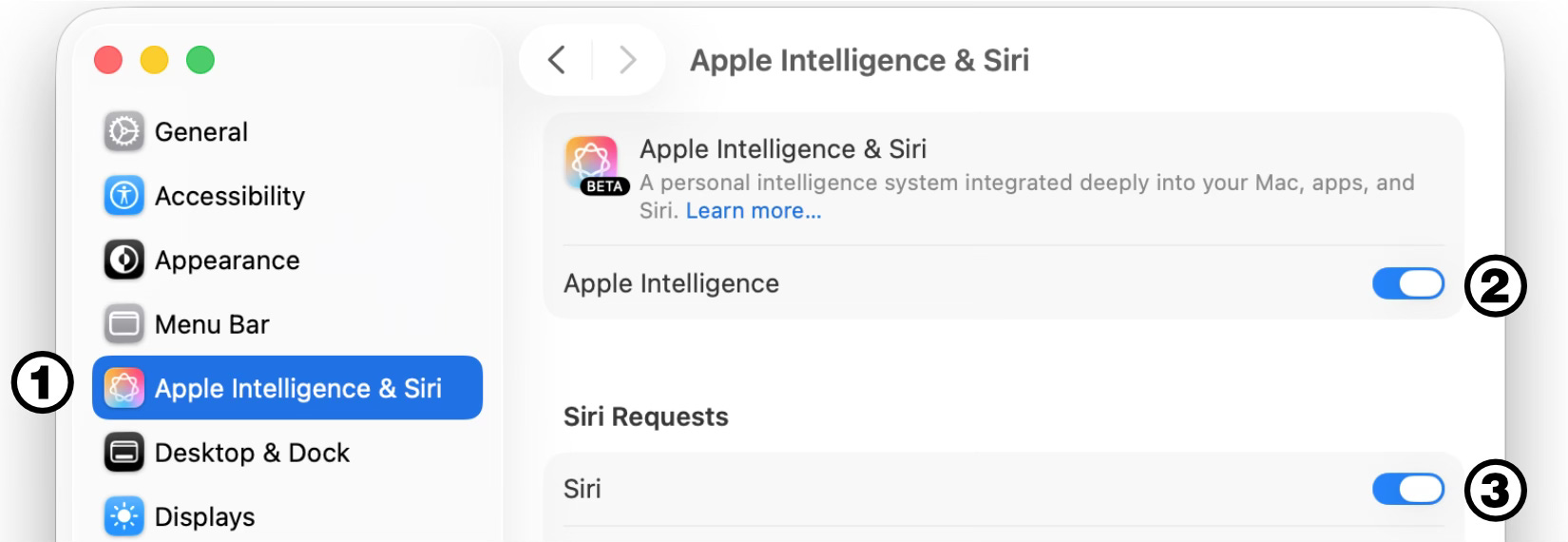
The first step before working with the Coding Assistant is to ensure that Apple Intelligence is enabled on your computer. To do this, click the Apple icon in the menu bar at the top of the screen, choose System Settings, open the Apple Intelligence & Siri panel, and turn on both Apple Intelligence and Siri, as shown below.
Now we can open Xcode, load our playground or project, and activate any of the available models. To do this, we need to go to the Xcode menu in the menu bar, choose Settings, and then click Intelligence.
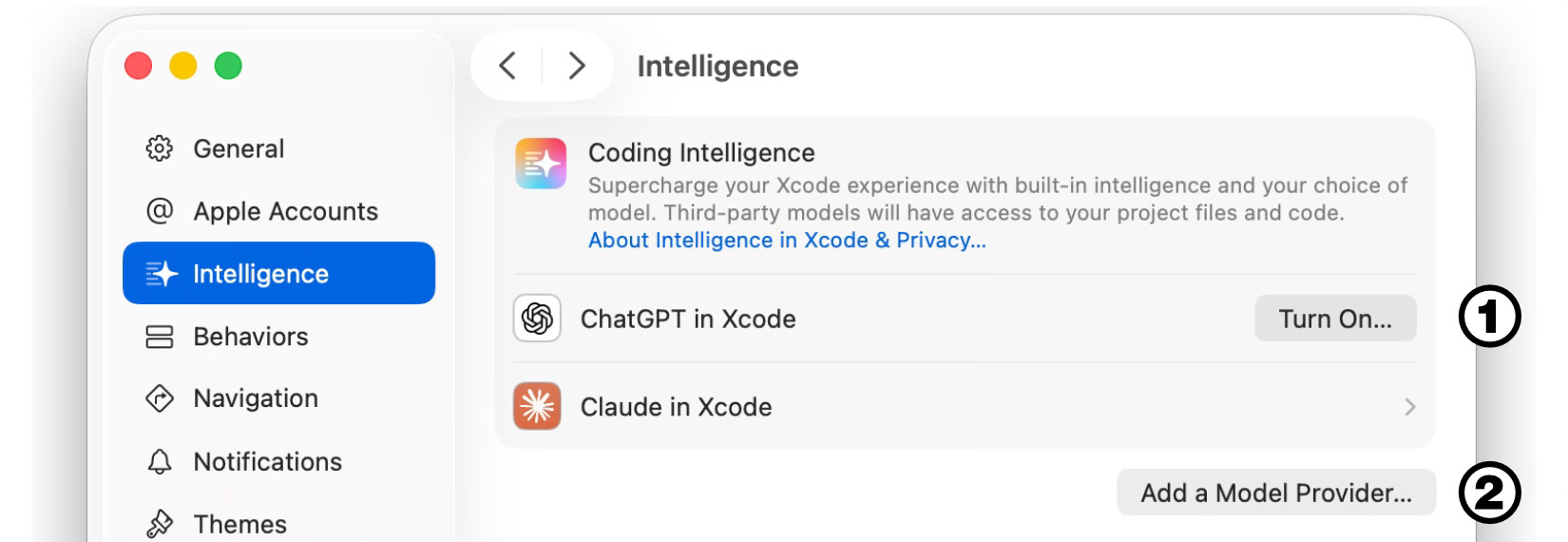
As of this writing, there are two options available: we can enable the models that Apple has built into Xcode, such as ChatGPT or Claude (number 1), or manually connect Xcode to other models (number 2). From the two built-in options, ChatGPT is the most convenient because it can be used with a free account. To get started, we simply press the Turn On button, accept the terms, and Xcode will be ready to work with this model.
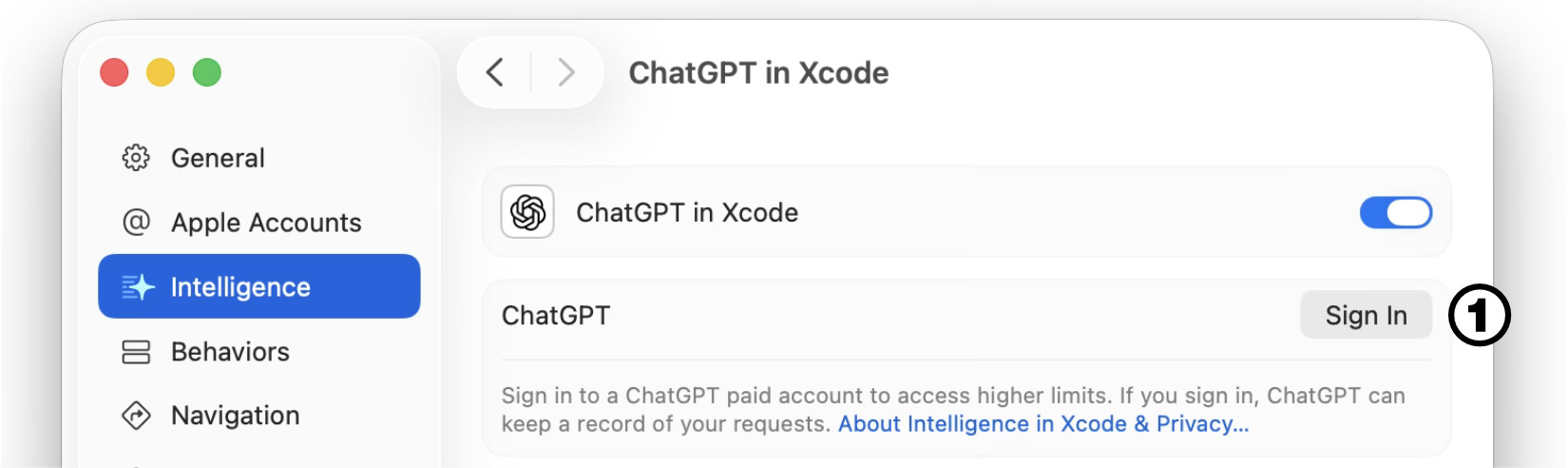
The free version of ChatGPT allows only a limited number of requests per day. After performing a few requests, we may receive a warning indicating how long we must wait before accessing the model again. While the daily request limit for free accounts is sufficient for many developers, we can sign in with a paid ChatGPT account to extend these limits by clicking the ChatGPT option again and pressing the Sign In button, as shown below.
Once the model is enabled, we can select it and use it from the Coding Assistant panel.
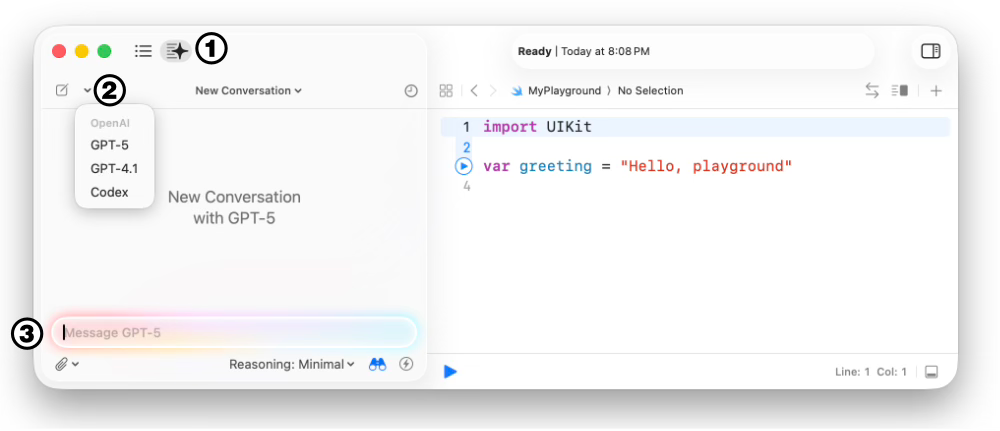
To open the panel, we must click on the button on the toolbar (number 1), then select the model we want to use (number 2) and then type our question or request in the input field (number 3).
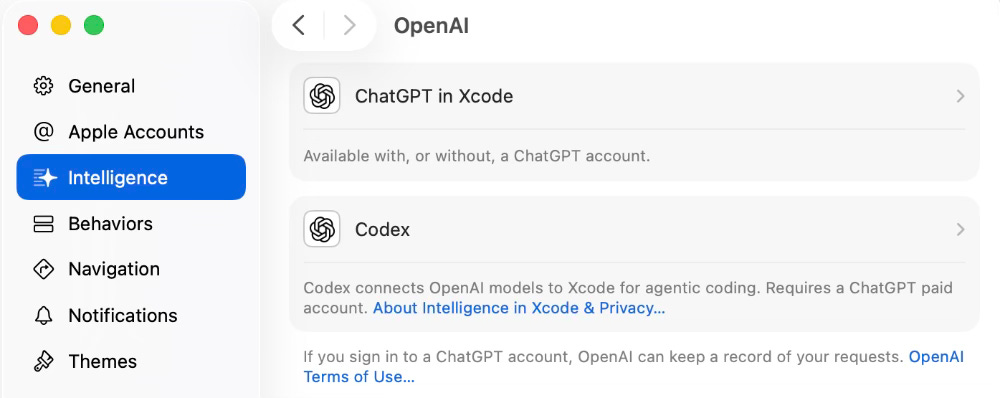
We can ask questions about the code, ask the model to program a function for us, and more. If we want the model to have more control, we need to use Agentic Coding. The option is also available in Settings. If we are using ChatGPT, we need to install the Codex extension, as shown below.
For further instructions on how to enable Agentic Coding, read Apple’s official documentation:
https://developer.apple.com/documentation/Xcode/writing-code-with-intelligence-in-xcode
For more information on Apple Intelligence, read our book Apple Intelligence for Masterminds.

JD